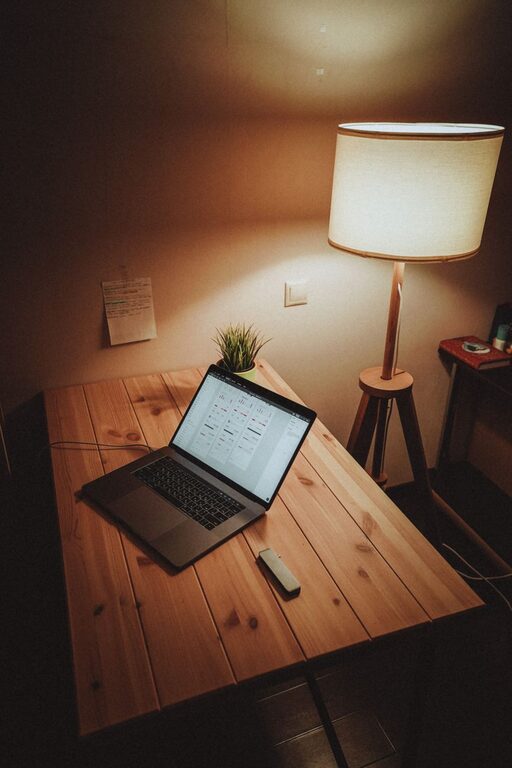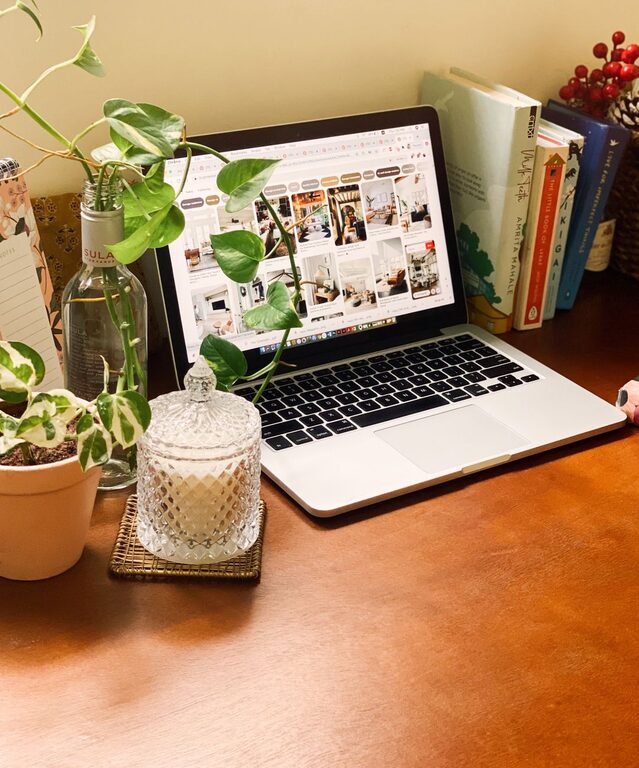
Creating a cozy and inviting home workspace is essential for staying focused, motivated, and comfortable throughout your workday. Whether you spend a few hours a week or a full eight-hour shift working from home, an environment tailored to your needs can enhance your productivity and overall well-being.
In this post, we’ll explore simple yet effective tips to help you design a workspace that feels welcoming and supports your workflow.
1. Choose the Right Location
The foundation of any good home office starts with finding the right spot in your home.
– Natural Light: Aim for a space near a window where you can benefit from ample natural light, which helps reduce eye strain and improves mood.
– Quiet Area: Select a quiet corner or room away from household noise and distractions to maintain focus.
– Ventilation: Fresh air circulation is key to comfort, so avoid cramped spaces without airflow.
If possible, use a separate room dedicated to work to create a mental boundary between professional and personal life.
2. Invest in Comfortable Furniture
Comfort is critical, especially if you spend long hours sitting and working.
– Ergonomic Chair: Choose a chair that supports your back and encourages good posture. Adjustable height and lumbar support are beneficial.
– Desk Height: Your desk should be at a height that allows your arms to rest comfortably while typing. An adjustable or standing desk is a great option.
– Footrest: If your feet don’t naturally touch the floor, a footrest can improve circulation and reduce fatigue.
Comfortable furniture is more than a luxury; it helps prevent physical discomfort that can impact productivity.
3. Personalize Your Space
Adding personal touches makes your workspace inviting and reflects your personality.
– Decor: Use artwork, inspirational quotes, or photographs that motivate you.
– Plants: Incorporate greenery to improve air quality and create a calming atmosphere.
– Color Scheme: Select colors that energize or relax you. Soft neutrals foster calm, while brighter colors can stimulate creativity.
Balancing personal elements with professional needs helps you enjoy your workspace while staying focused.
4. Optimize Lighting
Good lighting reduces eye strain and enhances alertness.
– Layered Lighting: Combine ambient light with task lighting. A desk lamp with adjustable brightness can focus light where you need it most.
– Avoid Glare: Position screens and lights to reduce glare and reflections.
– Warm vs. Cool Light: Choose lighting color temperatures based on your work type. Cooler tones boost alertness, warmer lights contribute to relaxation.
Make sure your lighting setup works well throughout the day and suits your specific tasks.
5. Keep Clutter Under Control
An organized space promotes clearer thinking and reduces stress.
– Storage Solutions: Use shelves, drawers, and boxes to keep supplies tidy and accessible.
– Cable Management: Use clips or sleeves to organize cords and prevent tangling.
– Daily Tidying: Spend a few minutes each day clearing your desk to maintain a fresh environment.
Regular decluttering makes your workspace inviting and helps you find what you need quickly.
6. Incorporate Technology Thoughtfully
Your tools should make work easier without creating distractions.
– Reliable Equipment: Invest in a dependable computer, monitor, and accessories like a good keyboard and mouse.
– Noise-Canceling Headphones: If your space isn’t perfectly quiet, headphones can help block distractions.
– Wireless Devices: Reduce clutter with wireless peripherals.
Tech should support your workflow, so choose devices that enhance your comfort and efficiency.
7. Create Zones for Different Tasks
If space allows, design areas within your workspace for specific activities.
– Work Zone: Your primary desk area for focused computer work.
– Reading/Note-Taking: A separate chair or nook for reviewing documents or brainstorming.
– Relaxation Spot: A comfortable seat where you can take short breaks.
Having zones helps you switch between tasks and maintain a balanced work rhythm.
8. Mind Your Posture and Breaks
Cozy doesn’t just mean soft and warm—it also means feeling good physically.
– Posture Reminders: Use apps or sticky notes to remind yourself to sit straight.
– Regular Breaks: Stand, stretch, or walk for a few minutes every hour to reduce fatigue.
– Desk Exercises: Simple stretches can relieve tension without leaving your workspace.
Taking care of your body helps sustain comfort and long-term productivity.
Conclusion
Designing a cozy and inviting home workspace requires thoughtful choices about location, furniture, lighting, and personalization. Small improvements in organization and comfort can make a big difference in how you feel and perform during the workday.
By creating a space that is both functional and welcoming, you set yourself up for success and greater enjoyment while working from home. Start with one or two changes today and build your ideal workspace step by step!
About the Author